
Supported Databases
MongoDB
Connect MongoDB to Fyno Connect using a MongoDB connection string, validate the connection, and create cohorts from your database data.
Connect your MongoDB database to Fyno Connect with a connection string. Once connected, you can build cohorts directly from the data in your database.
Connect your MongoDB database
1
Open MongoDB from Databases
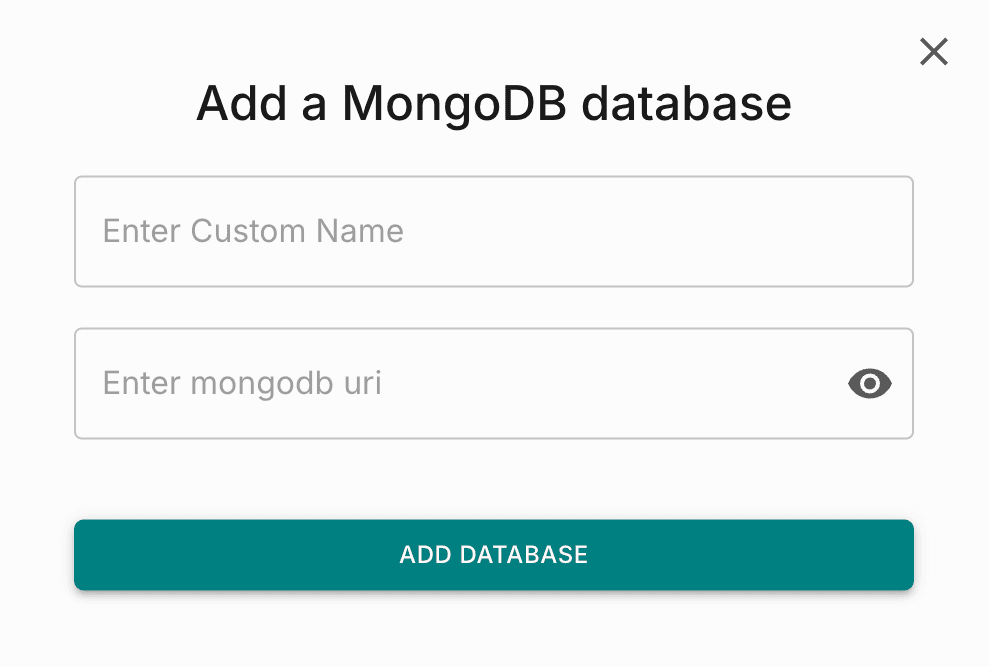
Go to Databases and click MongoDB. The Add a MongoDB database pop-up opens.
2
Enter the connection details
Fill in the following fields:
- Custom Name: A name to identify this connection in Fyno Connect.
- MongoDB URI: Paste your MongoDB connection string. The value is masked by default. Click the eye icon to view it.
3
Add the database
Click Add Database. Fyno tests the connection and saves it once the test succeeds. The database then appears under Connected DBs on the same page.
Connection string format
Check your connection string
If the connection test fails, make sure your connection string follows the standard format:
mongodb://[username:password@]host1[:port1][,...hostN[:portN]][/[database][?options]]