Fyno Templates
Fyno Shorty
Create trackable short URLs in Fyno using Fyno Shorty. Generate generic or user-specific shortened links, track clicks across channels, configure exclusions, and build dynamic URLs using placeholders.
Fyno Shorty turns long links into trackable short URLs. You can generate general URLs or user-specific URLs, so you can track clicks at the notification event, user or channel level.
Shortened URLs stay valid for 30 days.
Shorten URLs in your placeholders
Open Fyno Shorty
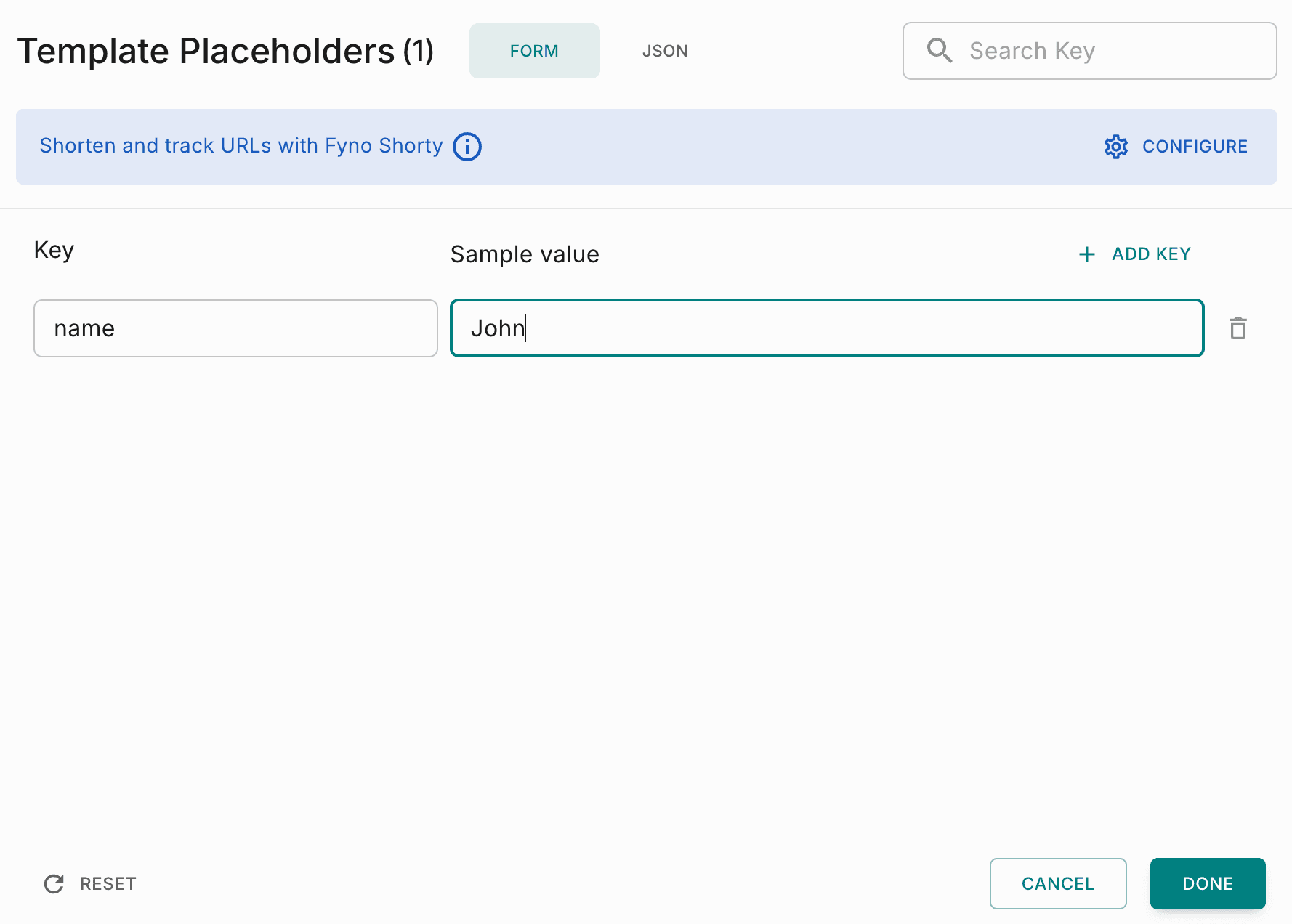
In the Template Placeholders pop-up, click Configure on the Shorten and track URLs with Fyno Shorty banner.
Choose the URLs to track
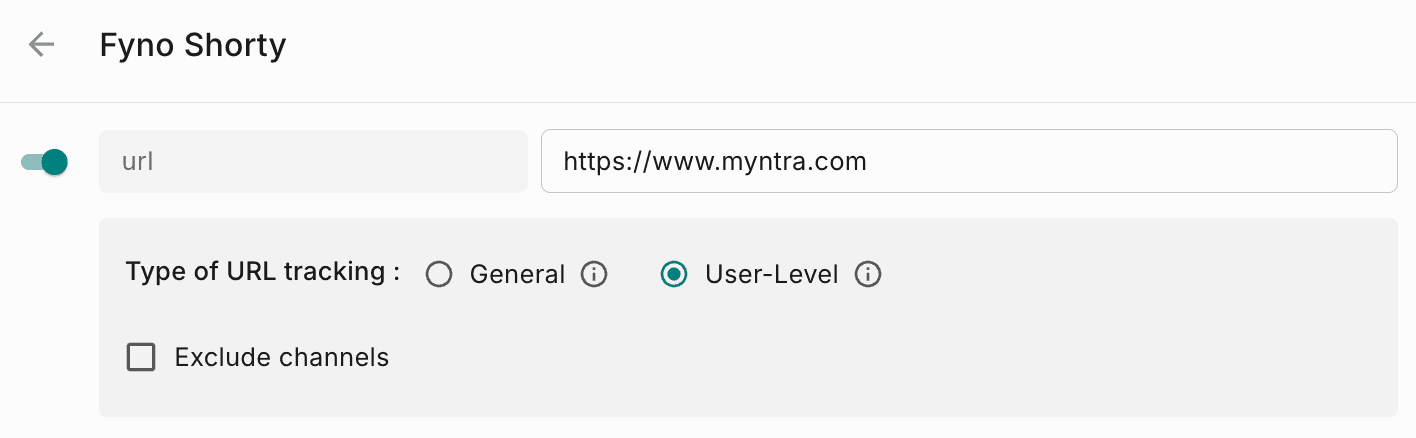
Fyno Shorty lists the URLs in your placeholders. Turn on the toggle for each URL whose clicks you want to track.

Choose the URL type
Select the type of URL to generate.
| General | User-Level | |
|---|---|---|
| Tracks clicks at | Notification event level | User and channel level |
| Recommended for | Product URLs for Google or Facebook ads, or when you only need the number of clicks | Unique links per user, such as payment links, or when you need the click event at the message level |
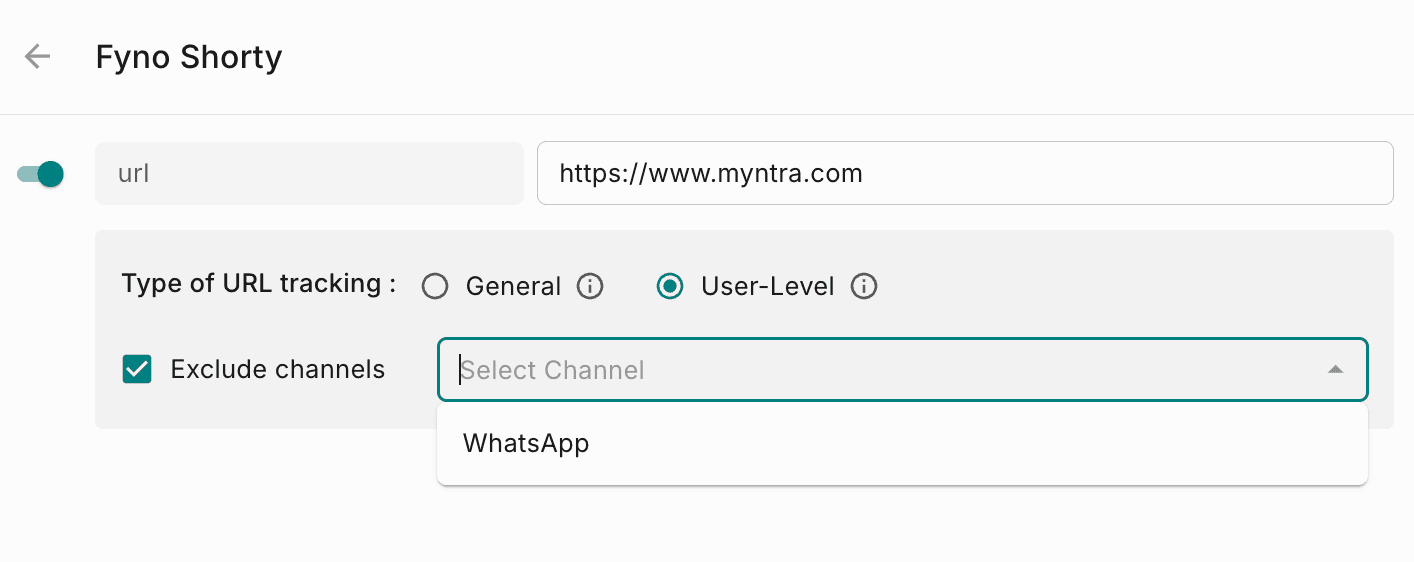
Exclude channels (optional)
Turn on Exclude Channels to skip URL shortening for specific channels. For example, if your template has SMS, WhatsApp and Email, and you don't want to shorten URLs in email, select Email from the dropdown.
Create custom URLs
Use a custom URL when you want to build a dynamic URL from several placeholder values and shorten it. For example, you might combine a paymentURL placeholder and a UTM source placeholder into one URL.
Open the Custom URL tab
In the Fyno Shorty pop-up, go to the Custom URL tab.
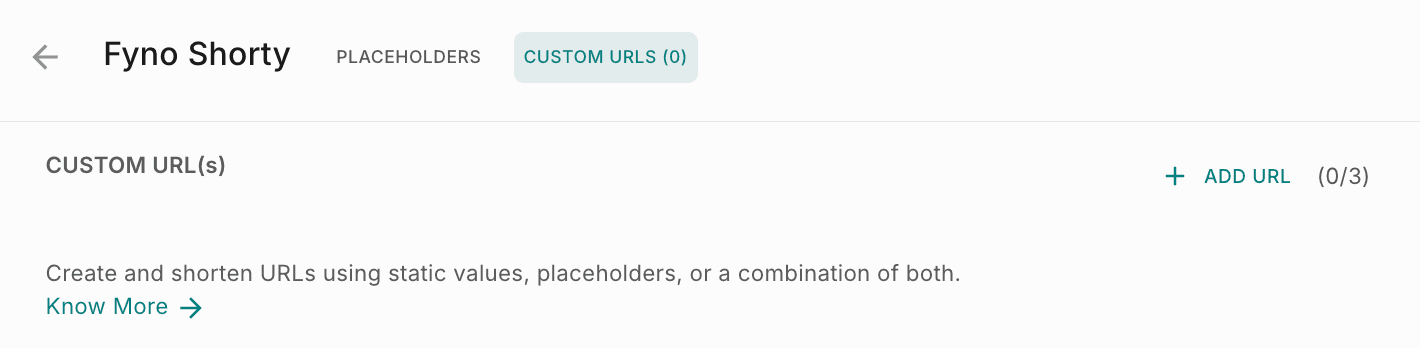
Add a URL
Click Add URL. You can create up to 3 custom URLs.
Build the URL from placeholders
Add the placeholders that make up the URL, as shown below.
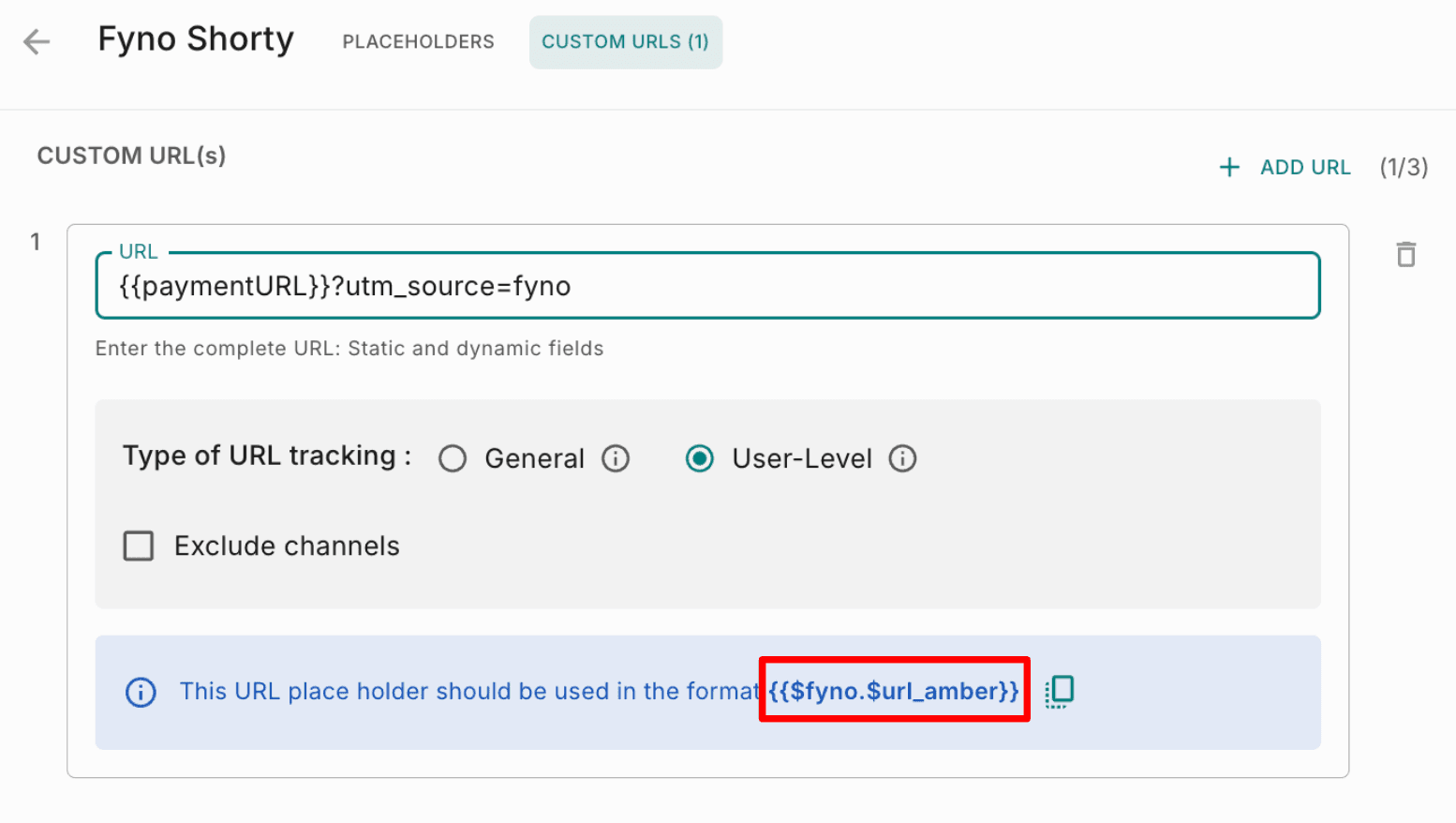
Use the system placeholder in your template
Fyno shows a system placeholder at the bottom of the pop-up for each custom URL. Use that system placeholder in your template content, instead of the original URL.