
Email Templates
How to Override Email Sender Details
Learn how to override email sender details such as From Name and From Email using the Notification Event API or the email editor in Fyno.
You can override the sender details configured in your email integration in two ways:
Override sender details using the API
When you set up the integration, you specify a From Email address. If you have multiple email addresses, such as noreply@xyz.com, marketing@xyz.com and cs@xyz.com, and want to use the right one for each communication, you can assign from_email dynamically.
Define a default From Email
In the integration pop-up, add a default From Email, as shown below. In this example, tech@fyno.io is used as the From Email if the email address provided in the payload is not valid.
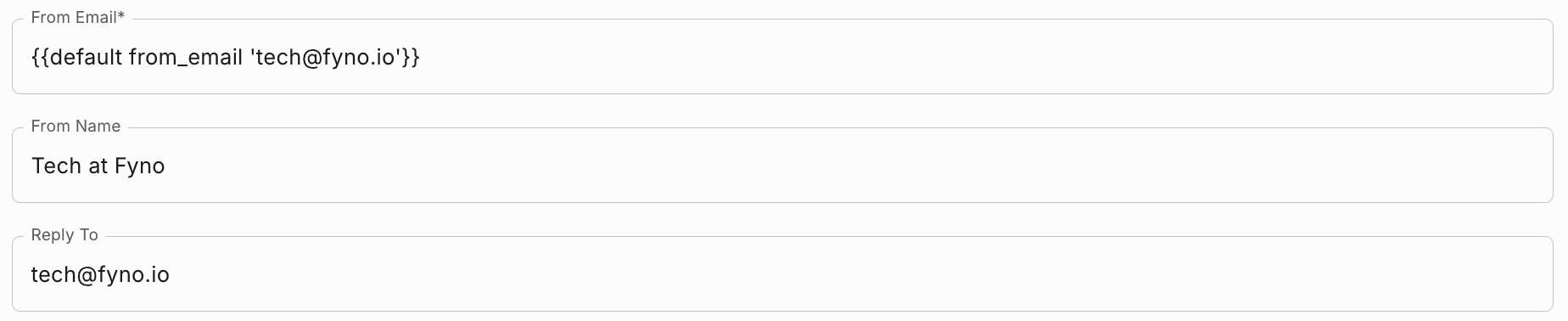
Adding a default From Email is recommended, to make sure communication is not interrupted.
Pass from_email in the Notification Event API
In the Notification Event payload, pass from_email under channel.email.override, as shown below. Emails triggered through this notification event are then sent from tech@fyno.io.
curl -X POST 'https://api.fyno.io/v1/<WorkspaceID>/test/event' \
-H 'Authorization: Bearer <API_KEY>' \
-H 'Content-Type: application/json' \
-d '{
    "event": "ReleaseNote",
    "to": {
        "email": "xyz@gmail.com"
    },
    "data": {
        "name": "Customer",
        "key": "value"
    },
    "channel": {
        "email": {
            "override": {
                "from_email": "tech@fyno.io"
            }
        }
    }
}'
You can follow the same process for the from_name field.
Override sender details in the email editor
Expand 'From' and 'Cc/Bcc' details entered here will override integration configuration above the Subject field.
Enter the sender details you want to override. All fields in this section are optional, and any field you leave empty uses the value configured in your integration.

| Field | What it overrides |
|---|---|
| From Name | The sender name the recipient sees. |
| From Email | The email address the email is sent from. |
| Reply To | The email address replies are sent to. |
| Feedback ID (optional) | Your campaign identifier, used to track Gmail spam complaints. Use the format a:b:c:SenderId. Currently supported only for the SendGrid provider. |
Feedback ID is currently supported only for the SendGrid provider.
The same section also has the Cc and Bcc fields. See How to add CC and BCC recipients in email.